A good website is not just about looking nice. If your website is not built the right way, Google may not rank it, even if your content is good. This is why SEO-friendly website design matters. For businesses that want more traffic, better rankings, and more leads, website design and SEO must work together. A poorly designed website can block SEO results, while a SEO-friendly website design helps Google understand, trust, and rank your pages higher.
How Does SEO-Friendly Website Design Help Rankings?
SEO-friendly website design helps you rank higher on Google by improving website structure, page speed, mobile usability, internal linking, and user experience. When search engines and users can easily understand and navigate your site, rankings improve naturally.
What SEO-Friendly Website Design Means?
SEO-friendly website design means building a website that both users and search engines can understand easily. It focuses on structure, speed, clarity, and usability.
A SEO-friendly website:
- Loads fast
- Works well on mobile devices
- Uses clear headings (H1, H2, H3)
- Has simple and logical navigation
- Makes content easy to read
Google prefers websites that offer a good user experience. When users stay longer and interact with your site, rankings improve.
SEO-friendly design is not
- Heavy designs that slow pages
- Confusing layouts
- Missing headings
- Hard-to-use navigation
Good design supports SEO. Bad design blocks it.
Website Structure and Headings (Why They Matter for SEO)
Website structure is how your pages are organized. Headings help Google understand what each page is about.
Proper heading structure
- H1 – Main topic of the page
- H2 – Main sections
- H3–H5 – Sub-topics
Search engines use headings to understand content hierarchy. Users also scan pages using headings.
Benefits of clean structure
- Easier crawling and indexing
- Better keyword relevance
- Improved readability
- Higher chance of ranking
Best practices
- One H1 per page
- Use keywords naturally in headings
- Keep headings clear and simple
A messy structure confuses Google and users.

Mobile Responsiveness and Website Speed
Most people search on their phones. Google uses mobile-first indexing, which means it looks at the mobile version of your website first.
Why mobile-friendly design matters?
- Improves user experience
- Reduces bounce rate
- Helps rankings
- Increases conversions
A website that looks good only on desktop will struggle to rank.
Website speed and SEO
Page speed is a direct ranking factor. Slow websites lose traffic and rankings.
What affects speed?
- Large images
- Heavy design elements
- Poor hosting
- Too many scripts
Speed benefits
| Speed Improvement | SEO Benefit |
| Faster load time | Higher rankings |
| Smooth browsing | Better engagement |
| Mobile speed | Lower bounce rate |
Fast, responsive websites perform better in search results.
Internal Linking and Easy Navigation
Internal linking connects one page of your website to another. It helps both users and search engines.
Why internal linking is important?
- Helps Google discover pages
- Passes authority between pages
- Improves user navigation
- Increases time on site
Good navigation means
- Simple menus
- Clear page categories
- Logical page flow
Users should find information in 2–3 clicks. If navigation is confusing, users leave, and rankings drop.
Internal linking tips
- Link related pages naturally
- Use clear anchor text
- Avoid broken links

Good internal linking strengthens SEO performance.
User Experience (UX) and SEO Connection
User experience and SEO are closely connected. Google watches how users interact with your website.
UX signals Google cares about
- Time spent on page
- Bounce rate
- Click behaviour
- Page interaction
A clean, simple design keeps users engaged. This sends positive signals to Google.
UX elements that help SEO
- Clear layouts
- Easy-to-read fonts
- White space
- Clear buttons
Better UX leads to better rankings.
Design Mistakes That Hurt SEO Rankings
Many websites fail not because of SEO, but because of poor design choices.
Common website design mistakes
- Slow loading pages
- Not mobile-friendly
- Missing or wrong headings
- Confusing navigation
- No clear call-to-action
Other hidden problems
- Images without optimization
- Pop-ups blocking content
- Thin or cluttered pages
These issues frustrate users and search engines.
SEO-Friendly Website Design vs Regular Design
| Feature | Regular Design | SEO-Friendly Design |
| Speed | Often slow | Optimized |
| Mobile | Not always responsive | Mobile-first |
| Structure | Random | Clear hierarchy |
| Navigation | Complex | Simple |
| Rankings | Limited | Higher potential |
SEO-friendly design focuses on performance, not just appearance.
How Website Design Supports SEO Services?
SEO works best when supported by good website design. Even the best SEO strategy can fail on a poorly designed website.
SEO-friendly design helps:
- Technical SEO
- On-page SEO
- Content SEO
- Local SEO
- Conversion optimization
This is why SEO and web design should never be separate.
Businesses working with Web and digital solutions often see better results because SEO and website design are planned together, not as separate tasks.
Who Needs SEO-Friendly Website Design?
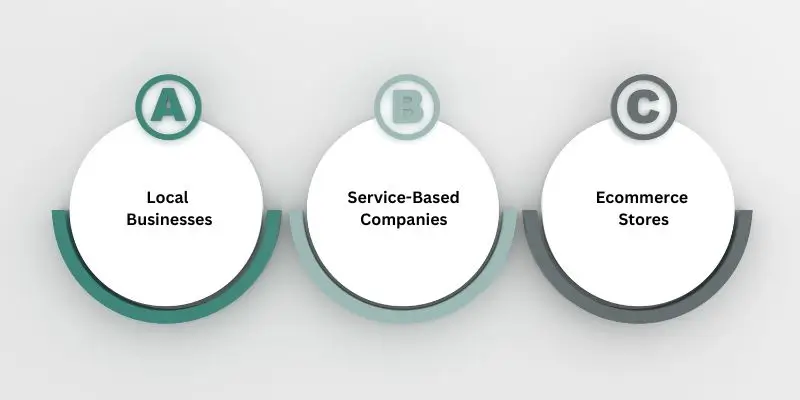
This approach is ideal for:
- Local businesses
- Service-based companies
- Ecommerce stores
- Professional websites
- Growing brands
If your website is meant to attract customers from Google, SEO-friendly design is necessary.
How to Start Improving Your Website Design for SEO?
You do not need a full redesign to start.
Simple steps
- Improve page speed
- Fix mobile issues
- Add proper headings
- Improve internal links
- Simplify navigation
Small improvements can bring big SEO gains.
Design Is a Ranking Factor
Website design is not just about looks. It directly affects SEO, rankings, traffic, and leads. A SEO-friendly website design makes it easier for Google to understand your site and for users to trust it.
If your website is not ranking well, the problem may not be SEO alone — it may be the design.
Next Step
Review your website today. Check speed, mobile usability, structure, and navigation. Improving these areas can help you rank higher on Google without changing your content.