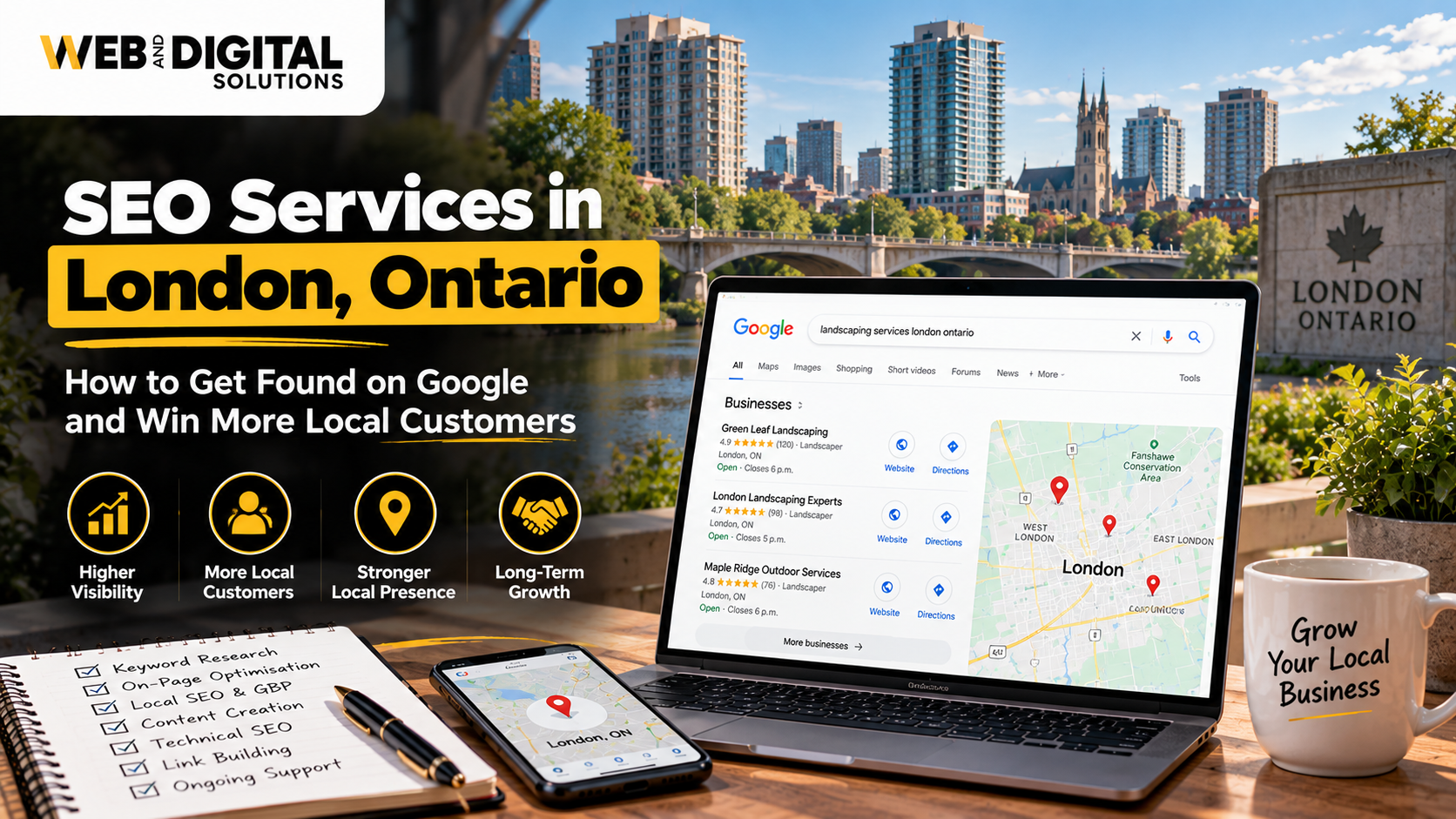
If you run a local business in London, Ontario, your Google Business Profile can be your biggest source of calls, visits, and leads. When people search for services near them, Google often shows map results before websites. If your business is not optimized, customers may never see you.
Google Business Profile optimization helps your business appear higher on Google Maps, look more trustworthy, and attract nearby customers who are ready to contact you.
How Do You Optimize a Google Business Profile for Local Rankings?
To optimize a Google Business Profile, businesses must complete all details, choose the right categories, add services, collect reviews, post updates, and keep information accurate. A fully optimized profile improves visibility on Google Maps and local search results.
Why Google Business Profile Is Important for Local Businesses?
Your Google Business Profile (GBP) is often the first thing customers see when they search for your business or services.
Why GBP matters so much?
- Appears in Google Maps results
- Shows your business hours and location
- Builds trust through reviews
- Drives calls, website visits, and directions
For many local searches, users do not even visit a website. They choose a business directly from Google Maps.
What customers see on your profile?
- Business name
- Address and phone number
- Photos
- Reviews and ratings
- Services and updates
If this information is missing or outdated, customers may choose a competitor instead.
How to Optimize Your Google Business Profile Correctly?
Optimizing your profile is more than just filling out basic details. Google looks at activity, accuracy, and relevance.
Step-by-step GBP optimization
1. Complete Every Section
Fill out:
- Business name
- Address
- Phone number
- Website link
- Business hours
Incomplete profiles rank lower.
2. Write a Clear Business Description
Use simple language to explain what you do and who you serve. Include local keywords naturally.
Example: “Providing professional services to customers in London, Ontario.”
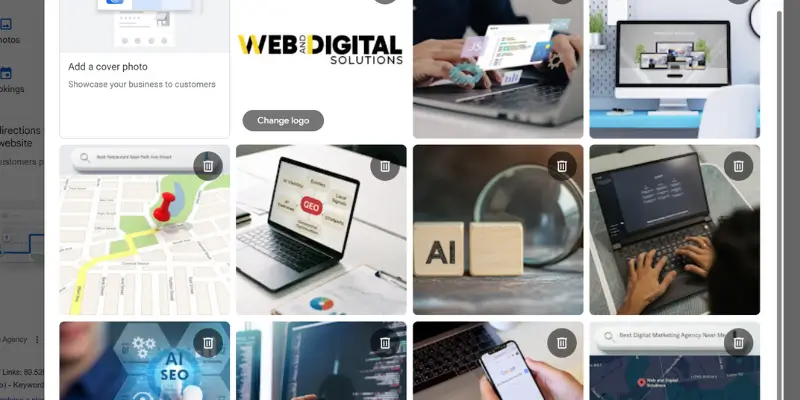
3. Add High-Quality Photos
Photos help customers trust your business.
Upload:
- Logo and cover photo
- Interior and exterior photos
- Team or work photos
Businesses with photos get more clicks and calls.
Choosing the Right Categories and Services
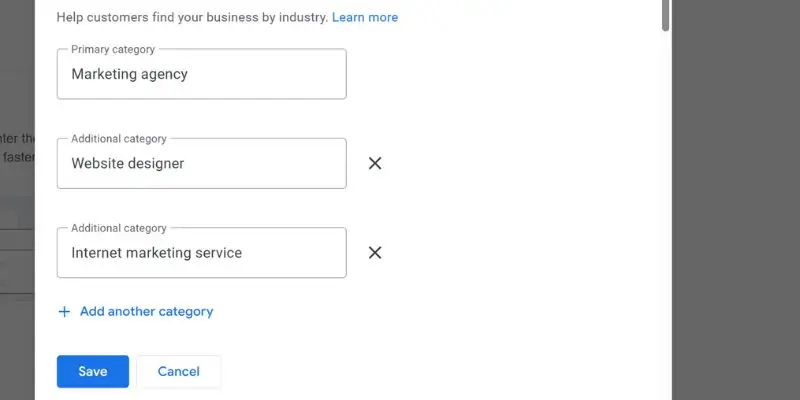
Categories tell Google what your business does. Choosing the wrong category can hurt rankings.
How to choose the right category?
- Select the most accurate primary category
- Add relevant secondary categories
- Avoid unrelated categories
Your primary category has the biggest impact on rankings.
Adding services correctly
List all your services clearly. This helps your profile appear for service-based searches.
Category and service tips
- Match services to what customers search
- Keep service names simple
- Avoid keyword stuffing
Correct categories improve relevance and visibility.
Reviews and Local Trust Signals
Reviews are one of the strongest local ranking factors. They also influence customer decisions.
Why reviews matter
- Improve local rankings
- Build trust with new customers
- Increase clicks and calls
Best practices for reviews
- Ask happy customers for reviews
- Respond to all reviews politely
- Use keywords naturally in replies
- Avoid fake or spam reviews
Local trust signals Google looks for
- Review quantity
- Review quality
- Review freshness
- Business responsiveness
A business with recent and positive reviews performs better in local search.
Google Business Profile Posts and Updates
Posting updates keeps your profile active. Google prefers active profiles.
What to post?
- Service updates
- Offers and promotions
- Business announcements
- Helpful tips
Posting once a week is enough to show activity.
Google Business Profile Optimization Checklist
| Task | Why It Matters |
|---|---|
| Complete profile | Improves visibility |
| Right categories | Increases relevance |
| Add services | Matches search intent |
| Upload photos | Builds trust |
| Collect reviews | Boosts rankings |
| Post updates | Shows activity |
Following this checklist improves your local performance.
Mistakes to Avoid in Google Business Profile Optimization
Many businesses lose rankings due to simple mistakes.
Common GBP mistakes
- Using the wrong business category
- Ignoring reviews
- Keyword stuffing business name
- Inconsistent contact details
- No regular updates
Other mistakes
- Adding fake locations
- Using personal phone numbers
- Not verifying the profile
Avoiding these mistakes protects your rankings.
How Google Business Profile Supports Local SEO?
Google Business Profile is a core part of Local SEO services. It works alongside:
- Website SEO
- Local keywords
- Citations and directories
- Reviews and content
A strong GBP profile improves your overall local SEO strategy.
Businesses that combine GBP optimization with professional SEO services often see faster results. This is where Web and digital solutions helps businesses align their Google Business Profile with Local SEO and Google Maps SEO strategies.
Who Should Focus on Google Business Profile Optimization?
GBP optimization is important for:
- Service-based local businesses
- Small and medium companies
- Clinics, contractors, and professionals
- Stores with physical locations
- Businesses targeting “near me” searches
If your business serves local customers, GBP optimization is essential.
How Long Does It Take to See Results from GBP Optimization?
Most businesses start seeing improvements within:
- 2–4 weeks for visibility
- 1–3 months for stronger rankings
Results depend on competition, location, and consistency.
Future of Local Search and Google Business Profiles
Local search is becoming more competitive. Google continues to add features to Business Profiles.
Future trends
- More emphasis on reviews
- AI-driven local results
- Voice search growth
- Increased importance of profile activity
Businesses that keep profiles updated will stay ahead.
Final Thoughts
Google Business Profile optimization is one of the easiest and most effective ways to grow a local business in London, Ontario. A well-optimized profile brings visibility, trust, and leads without ad spend.
If your profile is incomplete or inactive, you are leaving customers on the table.
Review your Google Business Profile today. Update details, add photos, respond to reviews, and post regularly. Small improvements can lead to big local results.